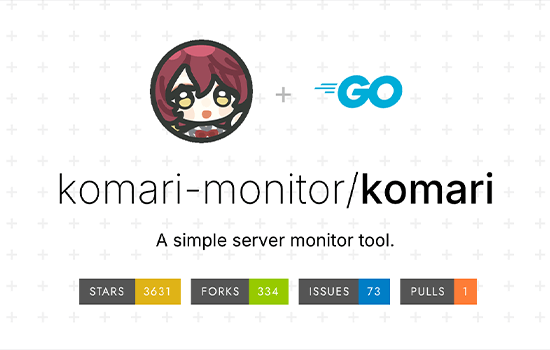



Deploying Komari Monitoring on ClawCloud Run
Introduction简介
Komari is a lightweight, self-hosted monitoring and uptime alerting system. Inspired by the simplicity of Uptime Kuma but written in Go, Komari offers an intuitive web UI, integrated alerting (via Telegram, email, etc.), and fast performance with minimal system overhead. It’s ideal for developers, sysadmins, and small teams who want to monitor services, APIs, and endpoints with zero vendor lock-in.
Komari 是一款轻量级的自托管监控和正常运行时间警报系统。Komari 受 Uptime Kuma 的简洁设计启发,但用 Go 编写,提供了直观的网页界面、集成的警报(通过 Telegram、电子邮件等)以及快速运行且系统开销最小。它非常适合开发者、系统管理员和小团队,他们希望在零厂商锁定的情况下监控服务、API和终端。
Using ClawCloud Run, you can deploy Komari in just a few minutes—completely free—with a custom domain, HTTPS, and scalable resources.
使用 ClawCloud Run,你可以在几分钟内完全免费部署 Komari,使用自定义域名、HTTPS 和可扩展资源。
Prerequisites先决条件
- ClawCloud Account
ClawCloud 账户
Sign up at console.run.claw.cloud.
请在 console.run.claw.cloud 报名。 - GitHub Account (Registered >180 Days)
GitHub账户(注册时间>180天)
Required to unlock $5/month free credits under ClawCloud’s forever-free tier.
在ClawCloud永久免费套餐下,必须解锁每月5美元的免费积分。 - (Optional) Custom Domain
(可选)自定义域
For binding your Komari dashboard to a custom domain with HTTPS.
用 HTTPS 绑定你的 Komari 仪表盘到自定义域。
Step-by-Step Installation Guide
逐步安装指南
Step 1: Log In to ClawCloud Run
第一步:登录ClawCloud运行
- Visit ClawCloud Run Console
访问ClawCloud运行控制台 - Sign in and enter the main dashboard interface.
登录后进入主仪表盘界面。
Step 2: Install Komari via APP Store
步骤2:通过APP Store安装Komari
- Click “APP Store” from the sidebar or dashboard.
从侧边栏或仪表盘点击“APP Store”。 - Search for “Komari” in the App Store.
在App Store搜索“Komari”。 - Click “Deploy APP”. This will launch a one-click deployment of a Komari instance (e.g.
komari-xxxxxxxx) with all default settings ready to go.
点击“部署应用”。这将启动一个 Komari 实例(例如komari-xxxxxxxx)的一键部署,所有默认设置都已准备好。
Step 3: Access Your Komari Dashboard
步骤3:访问您的Komari仪表盘
- Go to APP Launchpad and click Details next to the newly created
komari-xxxxxxxxinstance.
进入APP Launchpad,点击新创建的komari-xxxxxxxx实例旁边的详细信息。 - In the Network tab, locate the Public Address field.
在网络标签页中,找到“公共地址”字段。 - Click the public URL (e.g.
https://komari-abc123.ap-northeast-1.clawcloudrun.com) to open the web UI.
点击公共网址(例如https://komari-abc123.ap-northeast-1.clawcloudrun.com)即可打开网页界面。
Note: It may take 5–8 minutes for the gateway and app to fully initialize.
注:网关和应用完全初始化可能需要5到8分钟。
- Set up your admin account and start adding monitor targets (websites, IPs, ports, etc.)
设置你的管理员账户,开始添加监控目标(网站、IP、端口等)。
Customizing Your Deployment
定制部署
To upgrade Komari, change CPU/memory, bind a domain, or expand storage:
要升级Komari、更换CPU/内存、绑定域或扩展存储:
Step 1: Click “Update”
步骤1:点击“更新”
- Go to APP Launchpad > komari-xxxxxxxx > Update
前往 APP Launchpad > komari-xxxxxxxx 更新>
1. Change Komari Version
1. 更改小真版本
- In the Image section, edit Image Name
在图片部分,编辑图片名称
Example:ghcr.io/komari-monitor/komari:v0.3.1例子:ghcr.io/komari-monitor/komari:v0.3.1
2. Upgrade CPU & Memory
2. CPU 与内存升级
- In the Usage section, drag to increase CPU or RAM.
在使用量部分,拖动以增加CPU或RAM。
Ideal for large-scale monitoring setups.
非常适合大规模监控设备。
3. Bind a Custom Domain
3. 绑定自定义域
- Add a CNAME record from your domain to the ClawCloud Run subdomain.
将你的域名中的CNAME记录添加到ClawCloud Run子域名中。 - Under Network, click Custom Domain, and input your domain name.
在网络设置下,点击自定义域名,输入你的域名。 - The system will automatically issue a free HTTPS certificate in a few minutes.
系统将在几分钟内自动颁发免费的HTTPS证书。
4. Expand Storage4. 扩展存储
- Under Local Storage, find your volume and increase the size as needed.
在本地存储中,找到你的体积并根据需要增加容量。 - Save and click Update.
保存后点击更新。
You’re All Set! 你准备好了!
You now have a production-ready Komari instance running on ClawCloud Run:
你现在有一个在 ClawCloud Run 上运行的生产准备 Komari 实例:
- Free monthly hosting credits
免费月度托管积分 - Fast, secure Go-based monitoring
快速、安全的基于Go的监控 - Custom domain and HTTPS support
自定义域和HTTPS支持 - Fully scalable setup完全可扩展的配置
Whether you’re tracking a few endpoints or a fleet of services, Komari on ClawCloud makes monitoring effortless.
无论你跟踪的是少数终端还是一整支服务,ClawCloud上的Komari都让监控变得轻松。
Official Komari Repository
官方Komari仓库
GitHub: https://github.com/komari-monitor/komari
GitHub:https://github.com/komari-monitor/komari




暂无评论内容